 pelmet
Download
Pelmet / Live lyrics
Live lyrics on your Mac, word by word.
Pelmet shows time-synced lyrics for the song playing in Spotify or Apple Music. They can sit in the MacBook notch, behind your windows on the desktop, on the lock screen, or fill the screen in the Lyrics Stage. Pelmet runs on macOS 14 or later and costs $6.99 once, after a three-day free trial.
Updated
At a glance
- Music apps
- Spotify and Apple Music
- Where
- The notch island, the desktop, the lock screen and the Lyrics Stage
- Timing
- Time-synced lines, word by word
- Looks
- 12 styles, 6 presets, 7 fonts and 3 backdrops
- Second line
- Romanize, or translate on your Mac. Translation needs macOS 26.
- Sources
- lrclib.net, with music.163.com as a fallback
- Shortcut
- Lyrics Stage opens and closes with ⌃⌥⌘L
- Price
- $6.99 once, for two Macs. Three-day free trial with no card and no account. 14-day refund.
Four places to read along
In the notch
Open the island and swipe to its Lyrics page. The lines move with the song, right under the camera.
On the desktop
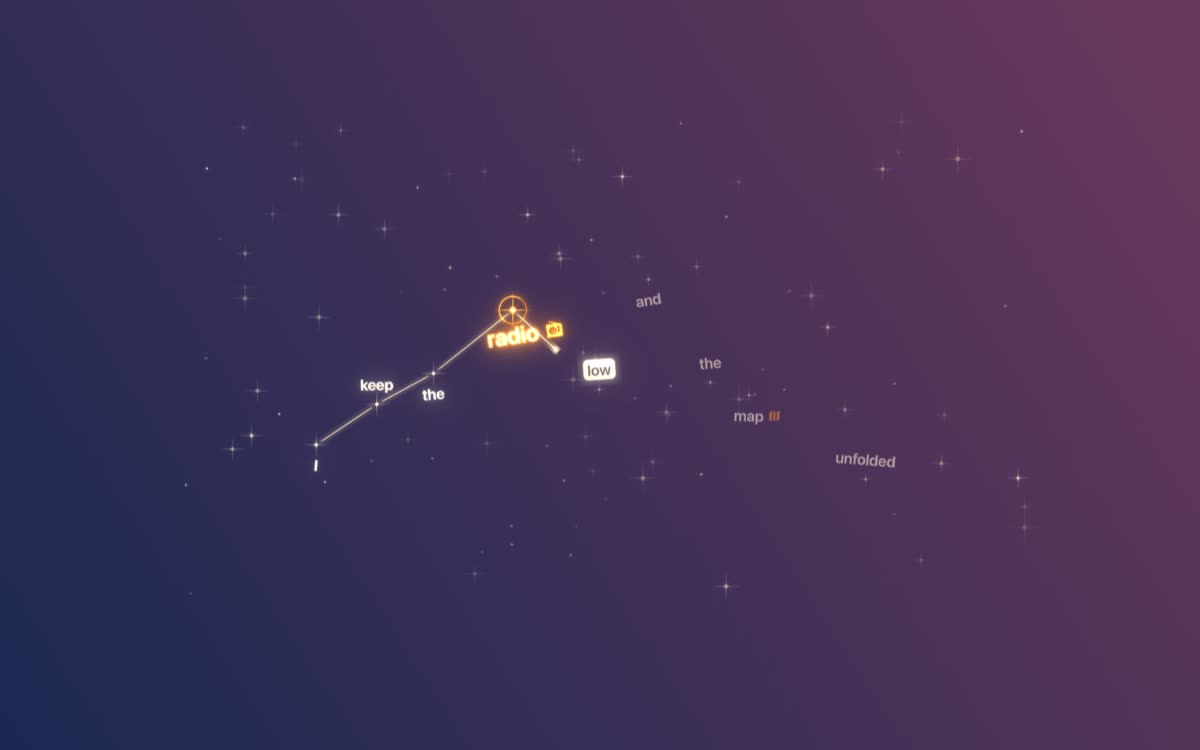
Lyrics sit behind your windows, one word at a time. Show them on every display or only on the ones you pick.
On the lock screen
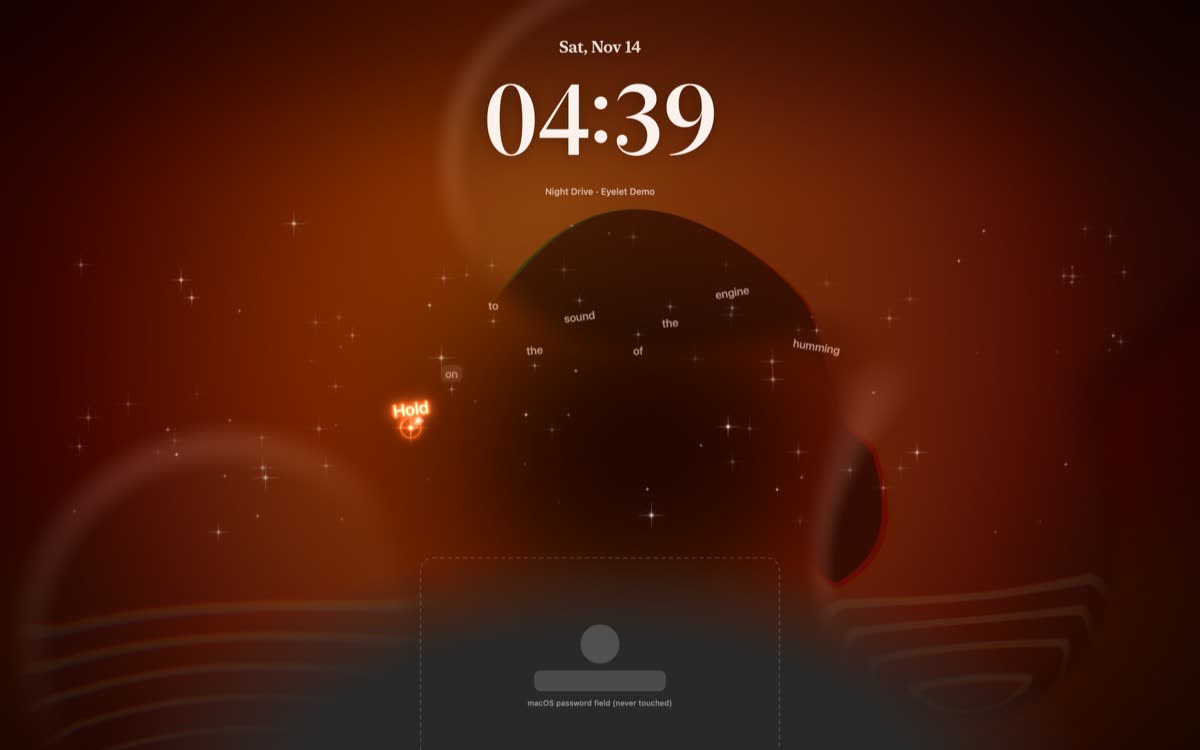
While the Mac is locked, the song card can open on the lyrics first. The password field stays macOS’s own.
In the Lyrics Stage
Full screen or in a window. Press ⌃⌥⌘L to open or close it, or run Show Lyrics Stage from the Shortcuts app.
Make them look like the song
Pelmet has 12 lyric styles: Stars, Big words, Lines, Terminal, Kinetic, Chips, Split, Loupe, Cascade, Marker, Depth and Dust. Six presets are ready to pick: Still Water, Starlight, Highlighter, Late Shift, Confetti and Club Night.
Behind the words goes the cover of the song, blurred and slowly flowing, or a plain Night or Day backdrop. With Reduce Motion on, the blur holds still. The type comes in seven fonts: SF Pro, Rounded, New York, Avenir Next, Gill Sans, Baskerville and American Typewriter, at the size you set.
Found a line worth keeping? Turn it into a lyric card, a picture you can save or copy.
Translate or romanize a line
Pelmet can add a second line under each lyric: the same words in Latin letters (Romanize), or a translation made on your Mac (Translate). Translation needs macOS 26; romanizing does not. Both stay off until you switch them on.
Where the lyrics come from
Pelmet looks each song up on lrclib.net and falls back to music.163.com. To find a match it sends the song’s title, artist, album and length. The privacy policy lists everything that leaves your Mac.
Set it up
- Download Pelmet and open it. The three-day trial needs no card and no account.
- Play a song in Spotify or Apple Music. macOS asks once whether Pelmet may control that app. Allow it: that is how Pelmet knows what is playing.
- Open the island and swipe to Lyrics. Or switch on lyrics for the desktop or the lock screen in Pelmet’s settings, or press ⌃⌥⌘L for the Stage.
Questions
How do I see live lyrics on a Mac?
Install Pelmet, play a song in Spotify or Apple Music, and open the Lyrics page of the notch island. You can also show the lyrics on the desktop, on the lock screen, or full screen in the Lyrics Stage. Pelmet needs macOS 14 or later.
Does it work with both Spotify and Apple Music?
Yes. When both are open, you choose which one Pelmet prefers.
Can I show lyrics on a second display?
Yes. Desktop lyrics can show on every display or only on the ones you pick, and the island can appear on every display too.
Do I need a MacBook with a notch?
No. On a Mac without a notch, Pelmet draws its own small island at the top of the screen. Desktop, lock screen and Stage lyrics do not depend on the notch.
Can Pelmet translate lyrics?
Yes. It can add a second line with a translation made on your Mac, or with the words in Latin letters. Translation needs macOS 26; romanizing does not.
Is it a subscription?
No. Pelmet costs $6.99 once, for two Macs, with a three-day free trial and a 14-day refund.
More about Pelmet
- Lock screenThe cover, controls and lyrics on the Mac lock screen, with four backgrounds.
- Cover wallpapersA Mac wallpaper made from the album cover, that changes with the song.
- Notch islandA Dynamic Island-style player in the MacBook notch, with lyrics, a shelf, calendar, weather and a timer.
- FAQPrice, trial, Macs, music apps, lyrics and privacy, answered.
- PelmetThe home page: the island, lyrics, lock screen, shelf and price.
Get Pelmet
Try it free for three days.
Every feature, no card and no account. After that, Pelmet is $6.99 once, for two Macs, with every update included.
macOS 14 or later · Spotify and Apple Music · 14-day refund